A Dialog window is an independent subwindow meant to carry temporary notice apart from the main Swing Application Window. Most Dialogs present an error message or warning to a user, but Dialogs can present images, directory trees, or just about anything compatible with the main Swing Application that manages them.
For convenience, several Swing component classes can directly instantiate and display dialogs. To create simple, standard dialogs, you use the JOptionPane class. The ProgressMonitor class can put up a dialog that shows the progress of an operation. Two other classes, JColorChooser and JFileChooser, also supply standard dialogs. To bring up a print dialog, you can use the Printing API. To create a custom dialog, use the JDialog class directly.
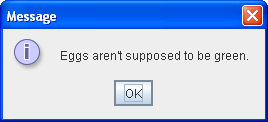
The code for simple dialogs can be minimal. For example, here is an informational dialog:
Here is the code that creates and shows it:
JOptionPane.showMessageDialog(frame, "Eggs are not supposed to be green.");
Running Codes
0 comments:
Post a Comment